It uses the current ESP32-A2DP and Arduino Audio Tools approach. ESP32-A2DP receives SBC audio as 16-bit stereo PCM, and Audio Tools provides the I²S output layer.
In Arduino IDE → Library Manager, install:
Select an original ESP32 board, such as ESP32 Dev Module. The ESP32-S3 and C3 are unsuitable because they do not support Bluetooth Classic A2DP.
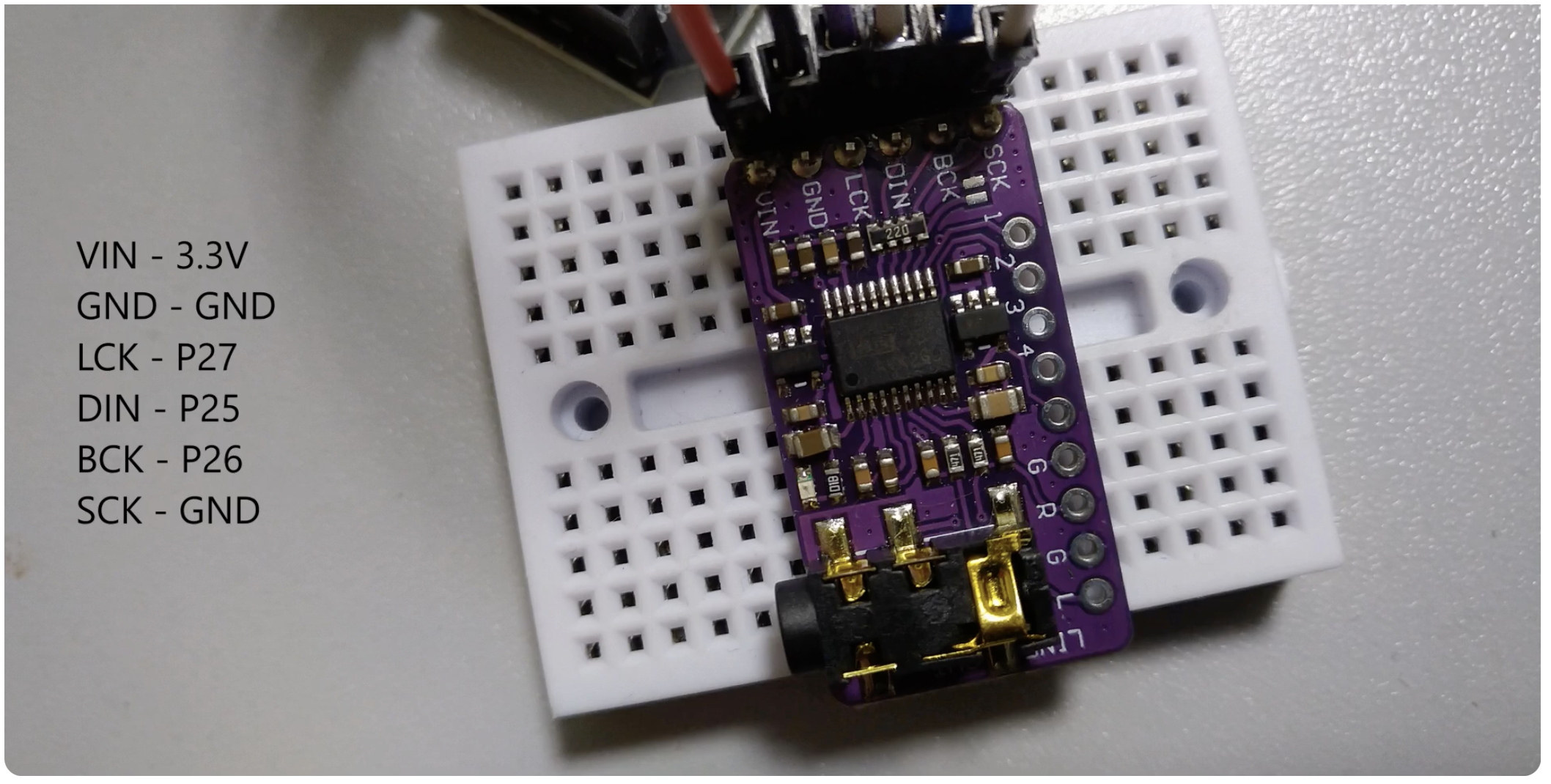
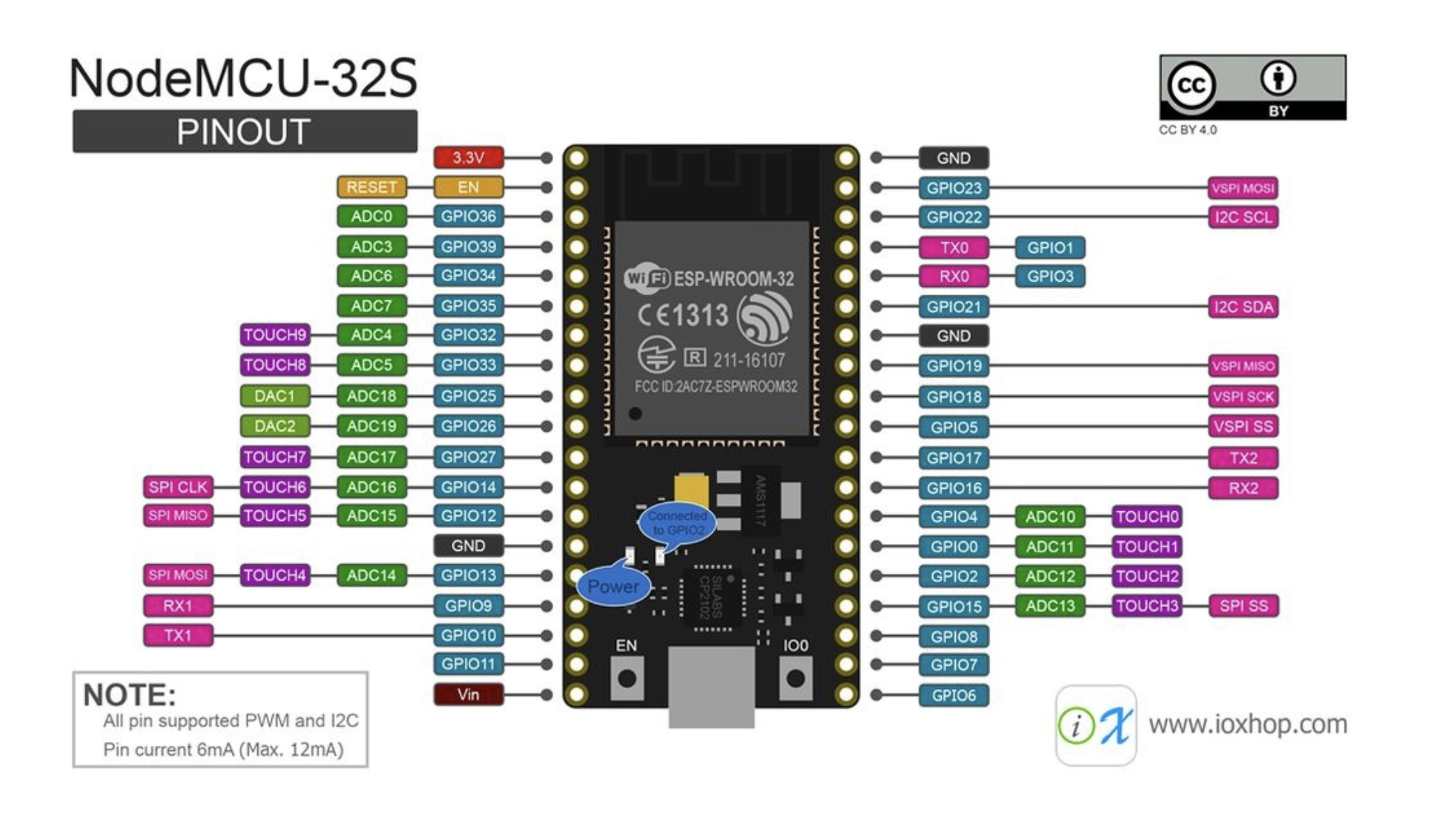
| PCM5102A | ESP32 |
|---|---|
| BCK | GPIO 26 |
| LCK, LRCK or WS | GPIO 27 |
| DIN | GPIO 25 |
| SCK | GND |
| GND | GND |
| VIN | 5 V |
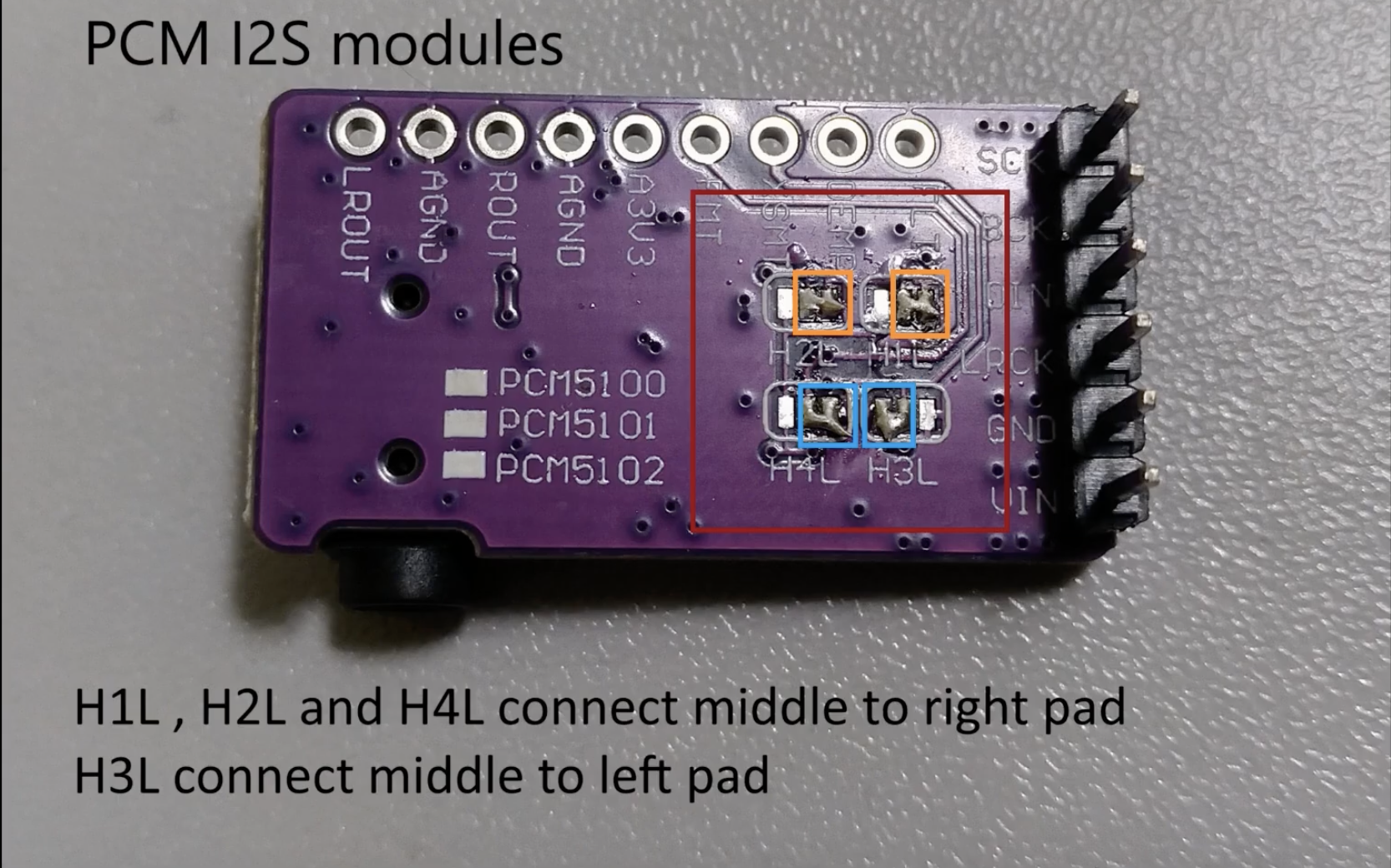
If exposed:
FMT → GND for standard I²SXSMT → 3.3 V for unmuted operationSCK → GND on the common PLL-equipped modulesThese pin assignments correspond to the established ESP32-A2DP PCM5102 setup.
Using btAudio
#include <btAudio.h>

// Sets the name of the audio device
btAudio audio = btAudio("ESP_Speaker");

void setup() {

 // Streams audio data to the ESP32
 audio.begin();

 // Re-connects to last connected device
 audio.reconnect();

 // Outputs the received data to an I2S DAC, e.g. https://www.adafruit.com/product/3678
 int bck = 26;
 int ws = 27;
 int dout = 25;
 audio.I2S(bck, dout, ws);
}

void loop() {

} |
| Reference | URL |
|---|---|
ESP32-A2DP | https://github.com/pschatzmann/ESP32-A2DP |
Arduino Audio Tools | https://github.com/pschatzmann/arduino-audio-tools |
| btAudio | https://github.com/tierneytim/btAudio#c |