Overview
Google discontinued support for its Nest thermostat Generation 1 & 2 in 2025 leaving customers in the lurch. A smart gentleman created an open source solution.
Setup
We will be running the self hosted server setup which will require that we run a docker container on our home server.
Start up the NLE Server
Docker
CONTAINER=nolongerevil-server

IMAGE=ghcr.io/codykociemba/nolongerevil-selfhosted:latest

docker stop $CONTAINER
docker rm $CONTAINER

DIR=`pwd -P`
echo "---- docker run ----"

docker run --name $CONTAINER \
--restart=unless-stopped \
-v $DIR/data:/data \
-v $DIR/db:/app/data \
-e API_ORIGIN=http://192.168.1.50:8000 \
-p 8000:8000 \
-p 8082:8082 \
-d $IMAGE

echo "---- docker logs ----"
docker logs -f $CONTAINER
Note: In the above, I expose the SQLite folder so that rebuilding the container does not destroy our data.
Running the open-source-prototype with Front-end UI
https://github.com/codykociemba/NoLongerEvil-Thermostat/discussions/34
This will give you a UI like:
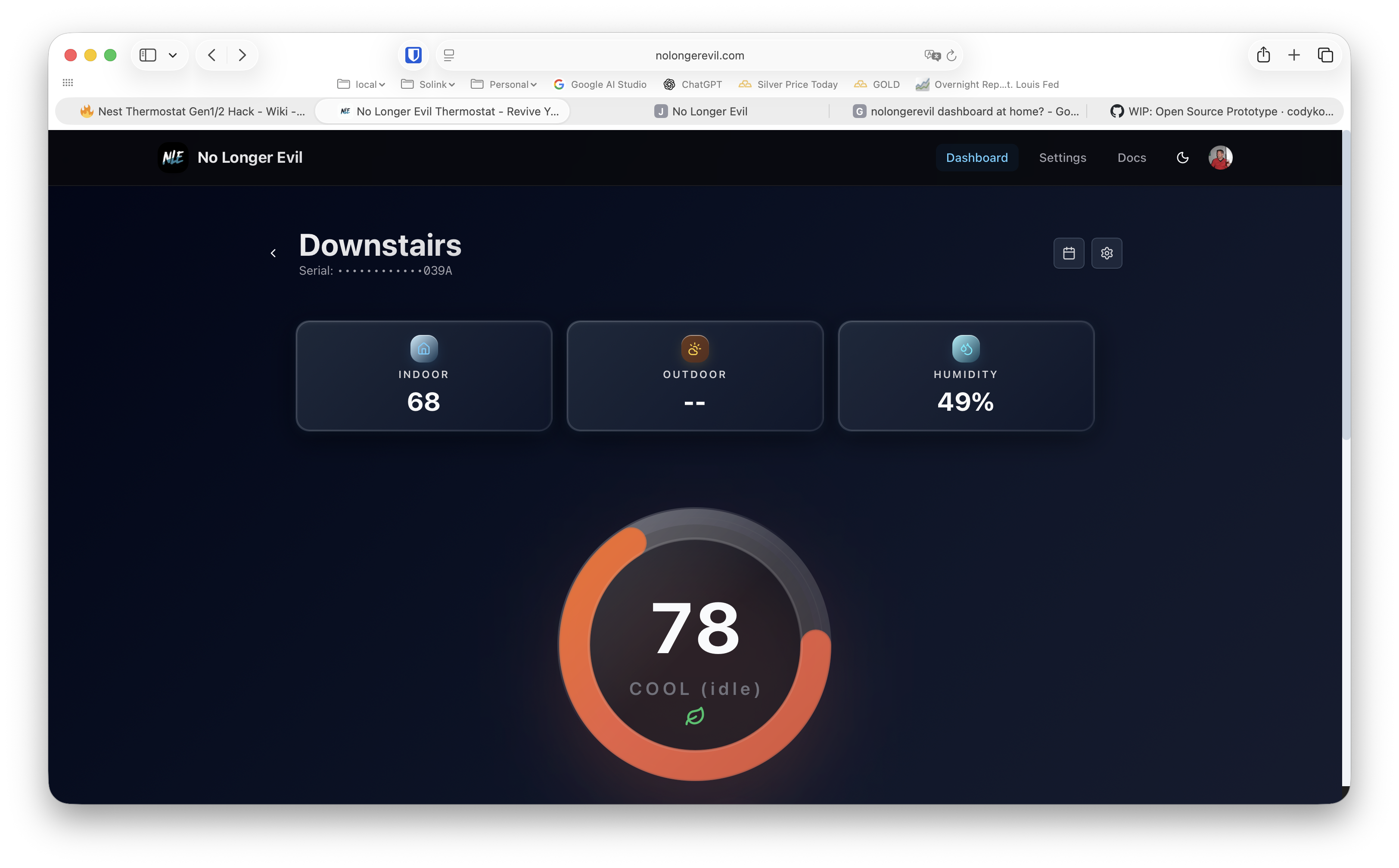
I didn't bother doing this but here is what I discovered:
Startup everything using docker-compose. This yaml will need to be tweaked based on how you configured your thermostats.
version: '3.8'

services:
  # 1. Your existing backend server container
  nle-backend:
    image: ghcr.io/codykociemba/nolongerevil-api:latest
    container_name: nle-backend
    ports:
      - "7001:7001"   # The port your physical Nest talks to
    environment:
      - DATABASE_URL=mongodb://db:27017/nolongerevil
    restart: unless-stopped
    depends_on:
      - db

  # 2. THE ADDITION: The cloud-matching Web UI Dashboard
  nle-frontend:
    image: ghcr.io/codykociemba/nolongerevil-frontend:latest
    container_name: nle-frontend
    ports:
      - "8080:3000"   # Maps port 8080 on your network to the frontend UI
    environment:
      - NEXT_PUBLIC_API_URL=http://<YOUR_SERVER_IP>:7001  # Links UI to your backend API
    restart: unless-stopped
    depends_on:
      - nle-backend

  # Your existing database container for logs and schedules
  db:
    image: mongo:latest
    container_name: nle-db
    volumes:
      - nle_data:/data/db
    restart: unless-stopped

volumes:
  nle_data:
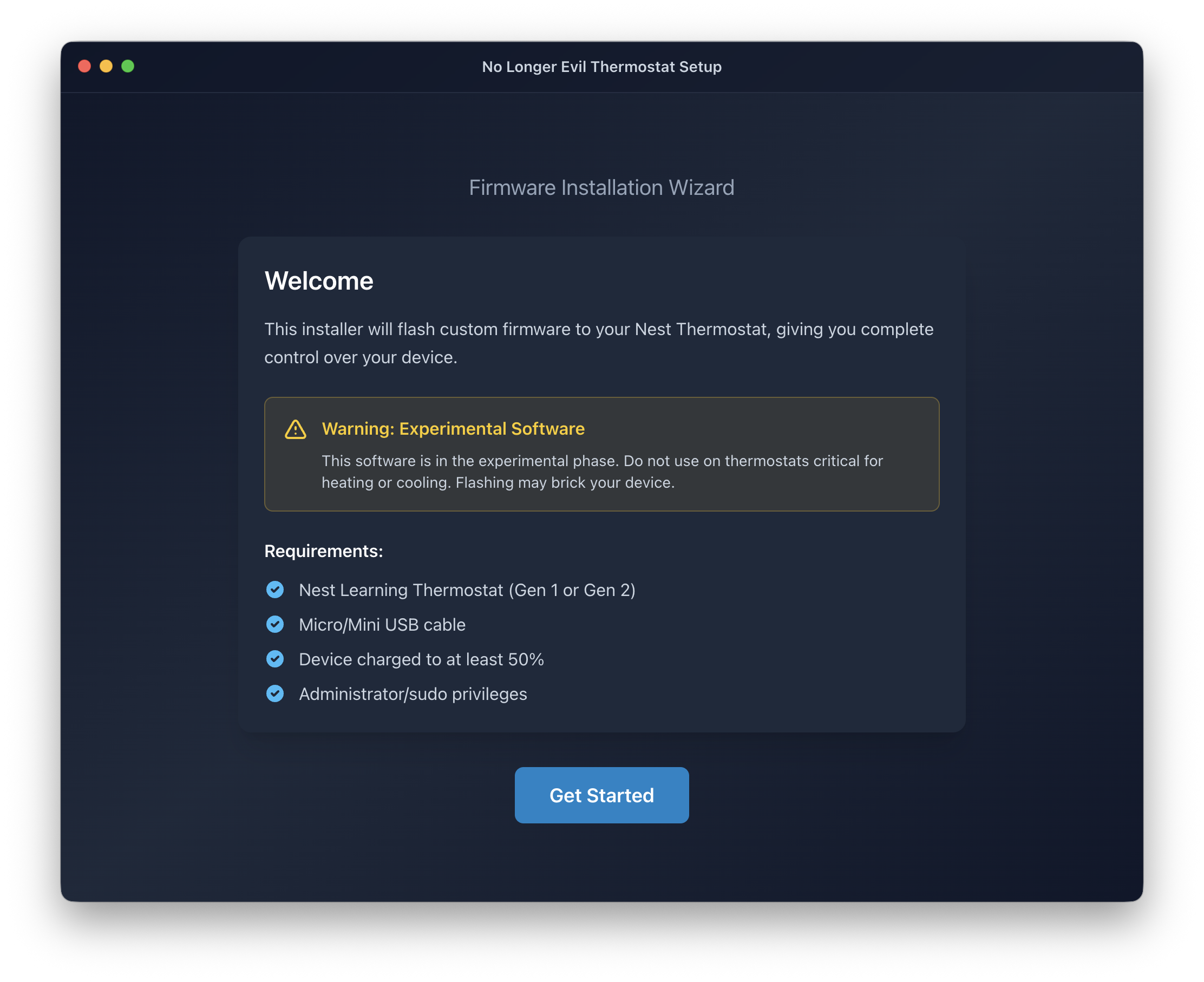
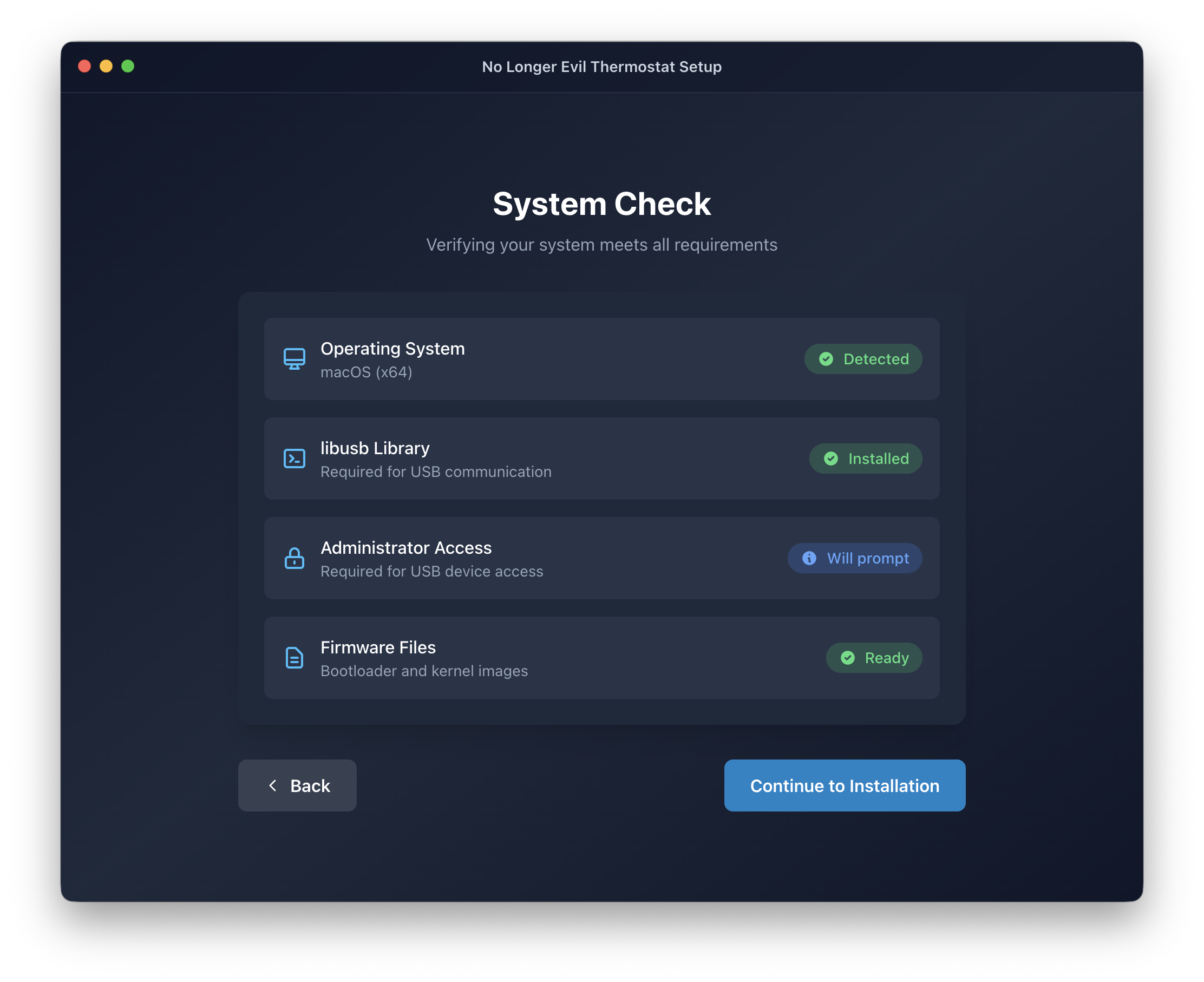
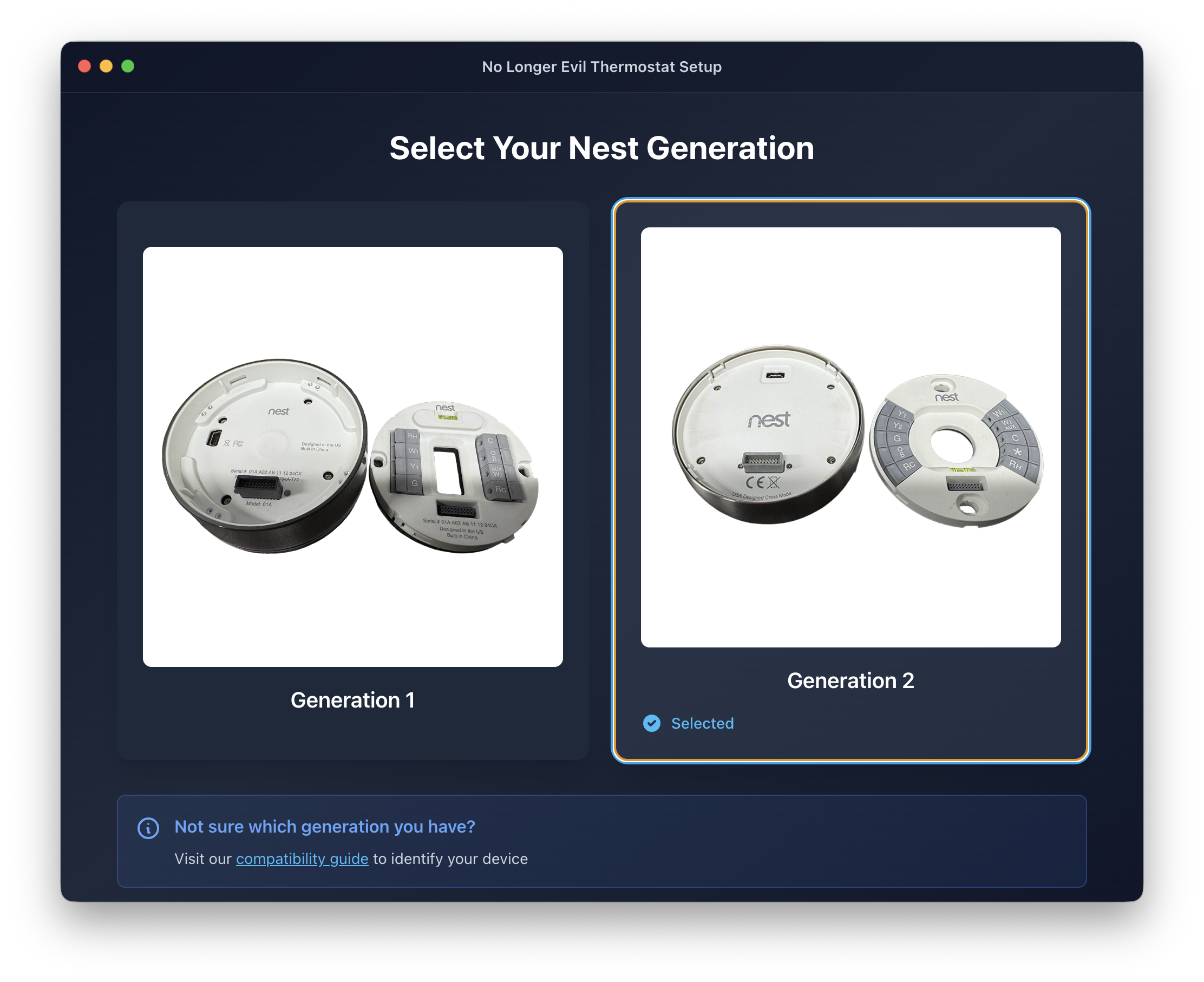
Run the GUI Installer
https://github.com/codykociemba/NoLongerEvil-Thermostat/releases
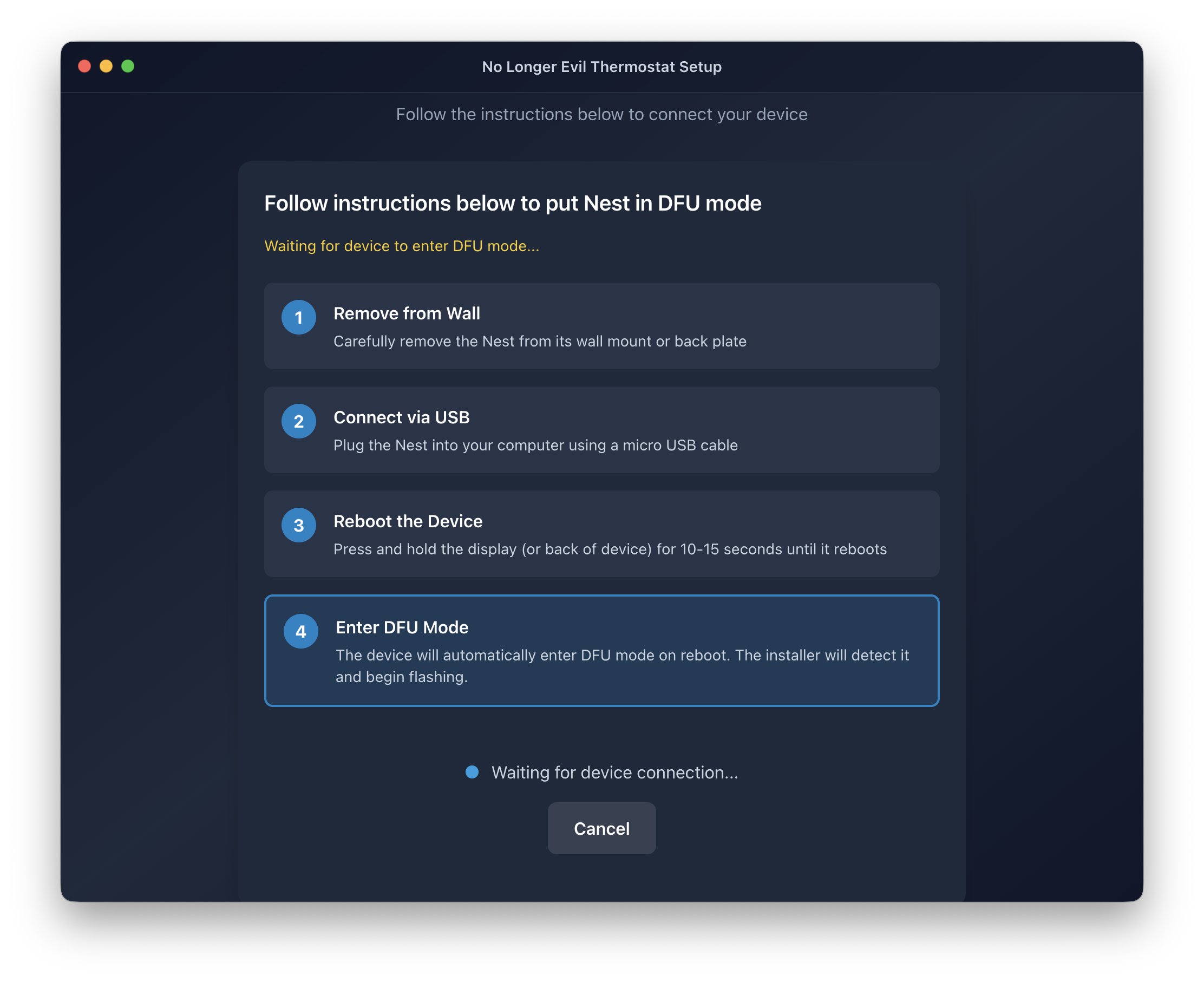 ...
...
Homebridge Integration
To allow us to control our thermostats via Apple HomeKit, we will add a plugin to our Homebridge installation.
See https://github.com/lastowl/homebridge-nolongerevil-nest
{
  "platforms": [
      {
          "platform": "NoLongerEvilNest",
          "name": "NoLongerEvil Nest",
          "servers": [
            {
              "name": "Upstairs",
              "apiKey": "xxxxxxx",
              "serverUrl": "http://192.168.1.50:8082"
            },
            {
              "name": "Downstairs",
              "apiKey": "xxxxxxx",
              "serverUrl": "http://192.168.1.50:8082"
            }
          ]
      },
}
References
| References | URL |
|---|---|
| No Longer Evil | https://nolongerevil.com |
| Github | https://github.com/codykociemba/NoLongerEvil-Thermostat |
| https://www.reddit.com/r/hacking/comments/1k97rv0/hack_a_nest_gen_1_or_2_thermostat_so_its_usable/ | |
| Hackaday - Next Hack | https://hackaday.com/2014/06/24/rooting-the-nest-thermostat/ |
| NestDFUAttack | https://github.com/exploiteers/NestDFUAttack/blob/master/Release/README |
GTV Hacker Wiki | http://wiki.gtvhacker.com |
| GTV Forum | |
| GTV Hacker Blog | http://blog.gtvhacker.com |